Task management · Habit building · Focus timerPersonas · User flow · Wireframes · Visual system
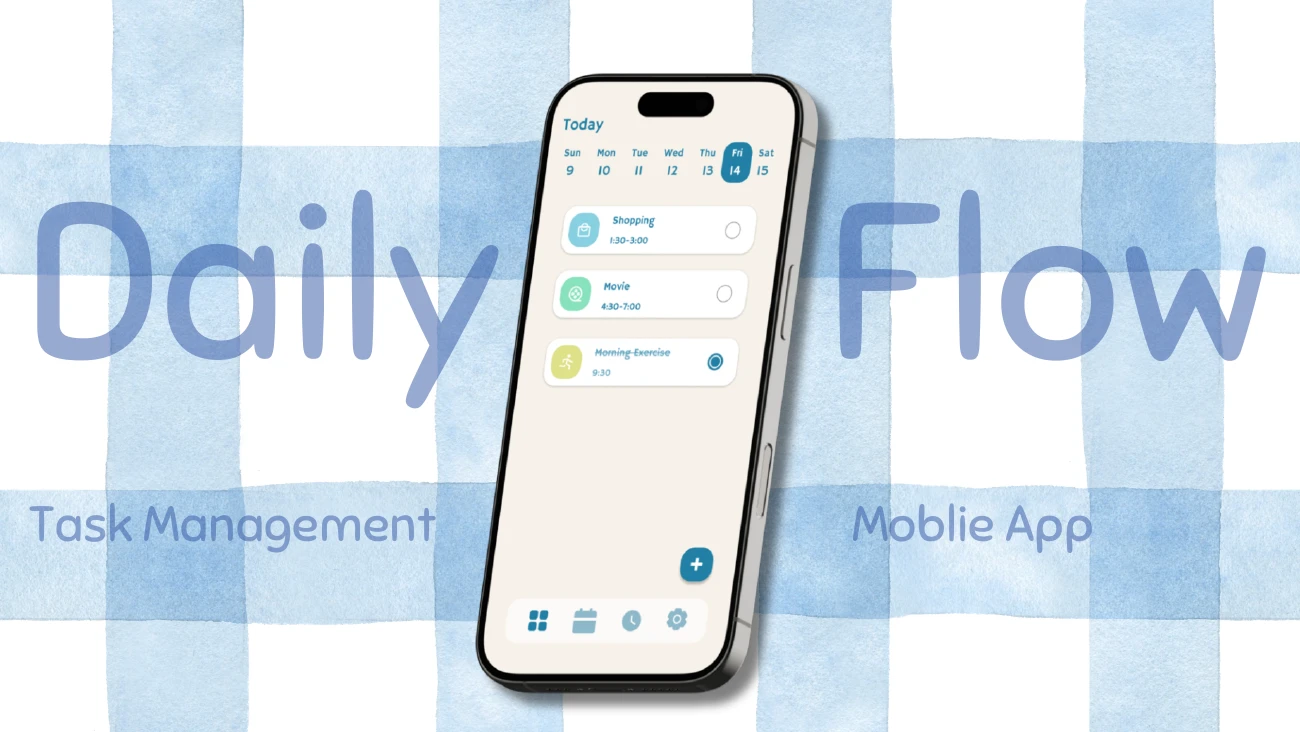
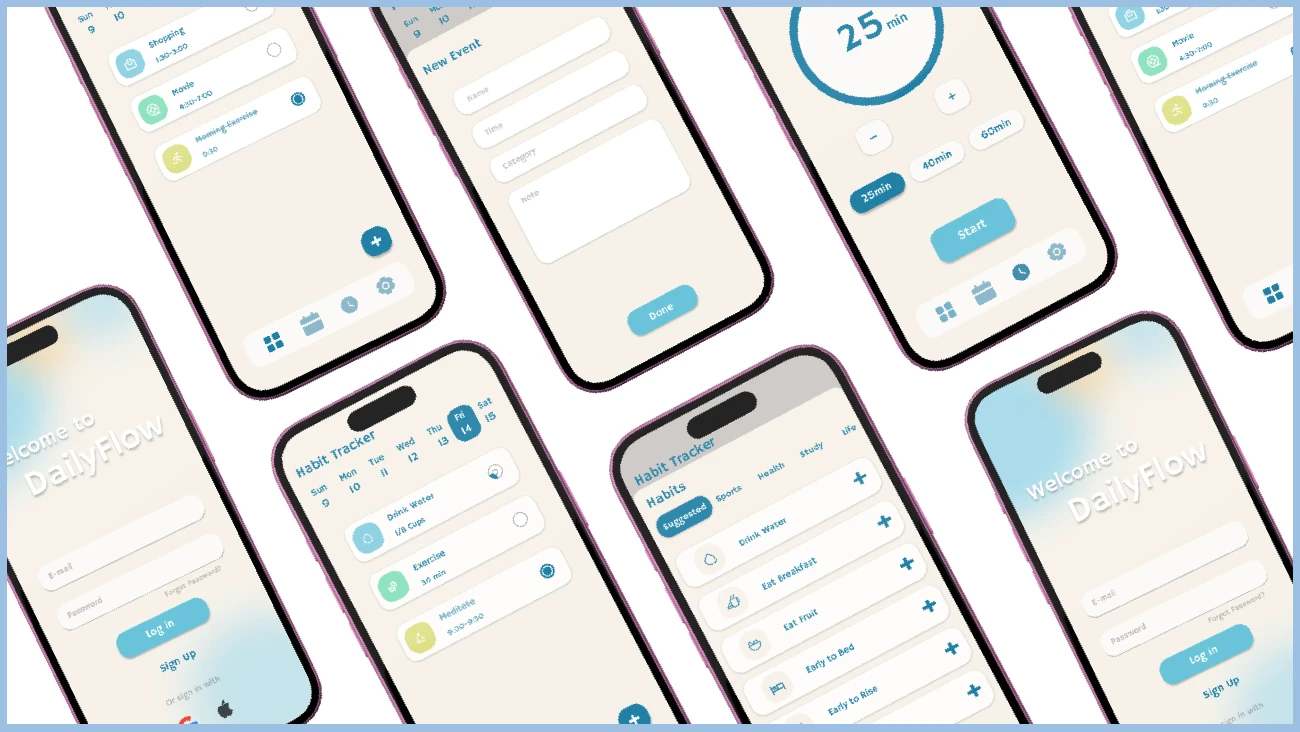
A daily overview brings scheduled activities and completion states together.
THE OPPORTUNITY
One place for the everyday.
DailyFlow explores how scheduling, habit building and focus tracking could work together in a single mobile experience. The project responds to the friction of switching between separate tools to organise a day.
The design aims to support productivity without adding pressure: make the next task visible, offer a focus timer when getting started is difficult, and keep everyday habits close at hand.
PEOPLE & CONTEXT
Different days need different routines.
The intended audience includes university students, freelancers and young professionals who find it difficult to maintain daily habits. Two personas frame the design: Maya, a student balancing study and self-care, and Daniel, a shift worker trying to build routines around changing hours.
Maya’s scenario draws attention to basic needs being overlooked during busy periods. Daniel’s highlights how rigid routines can become discouraging after a few missed days.
USER FLOW
A path forward when a task feels difficult.
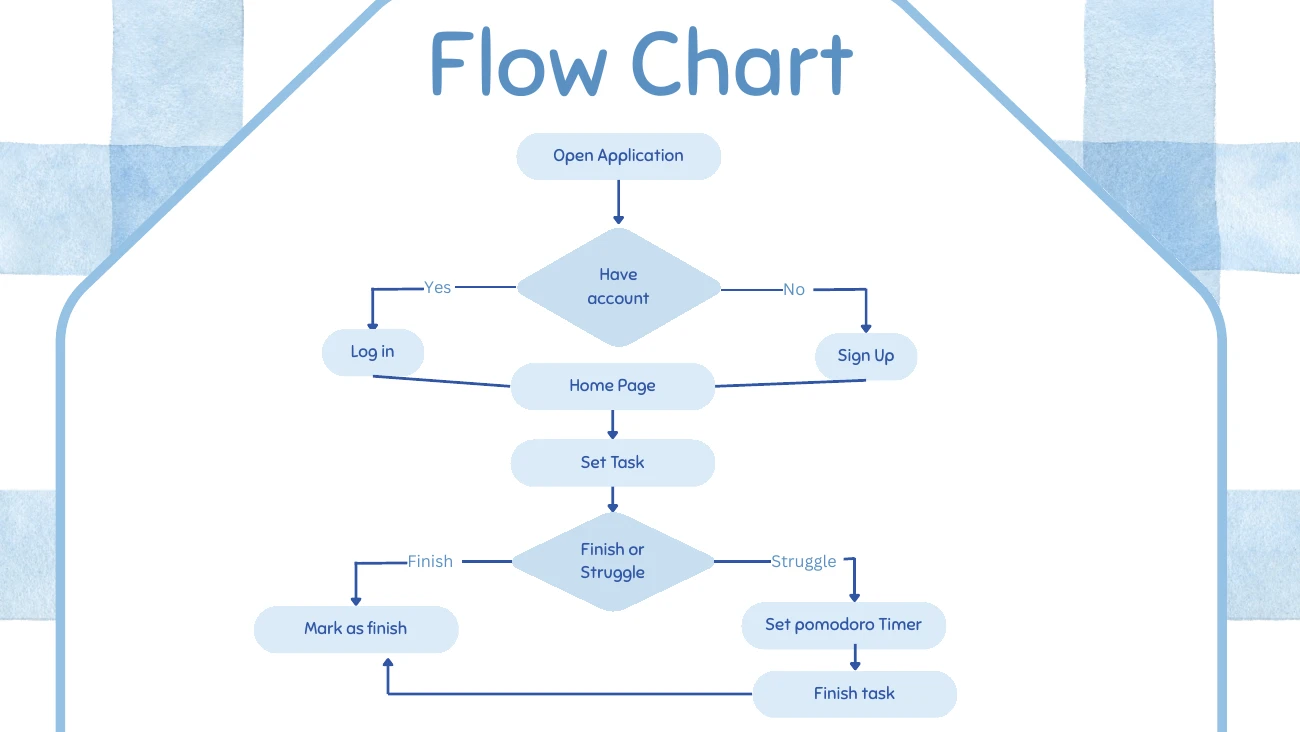
After signing up or logging in, the proposed flow moves from the home screen to setting a task. A completed task can be marked as finished. If the user struggles, the flow offers a Pomodoro timer before returning to task completion.
The flow connects task planning with an optional focus session.
WIREFRAMES
Give each action a clear place.
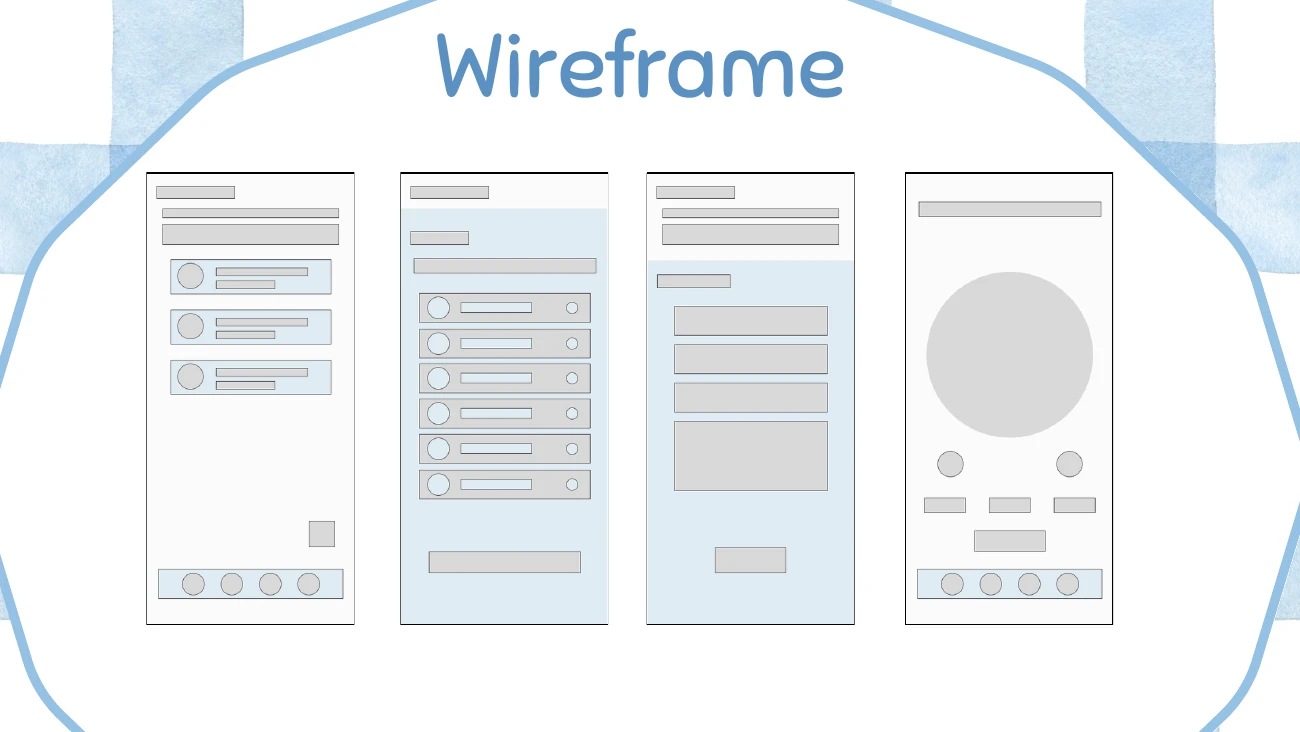
The wireframes explore a daily overview, habit selection, an event form and a focus timer. Repeated bottom navigation establishes a consistent structure across the main screens, while cards separate individual tasks and habits.
Early layouts establish hierarchy before the final visual treatment.
VISUAL DIRECTION
Calm, approachable and consistent.
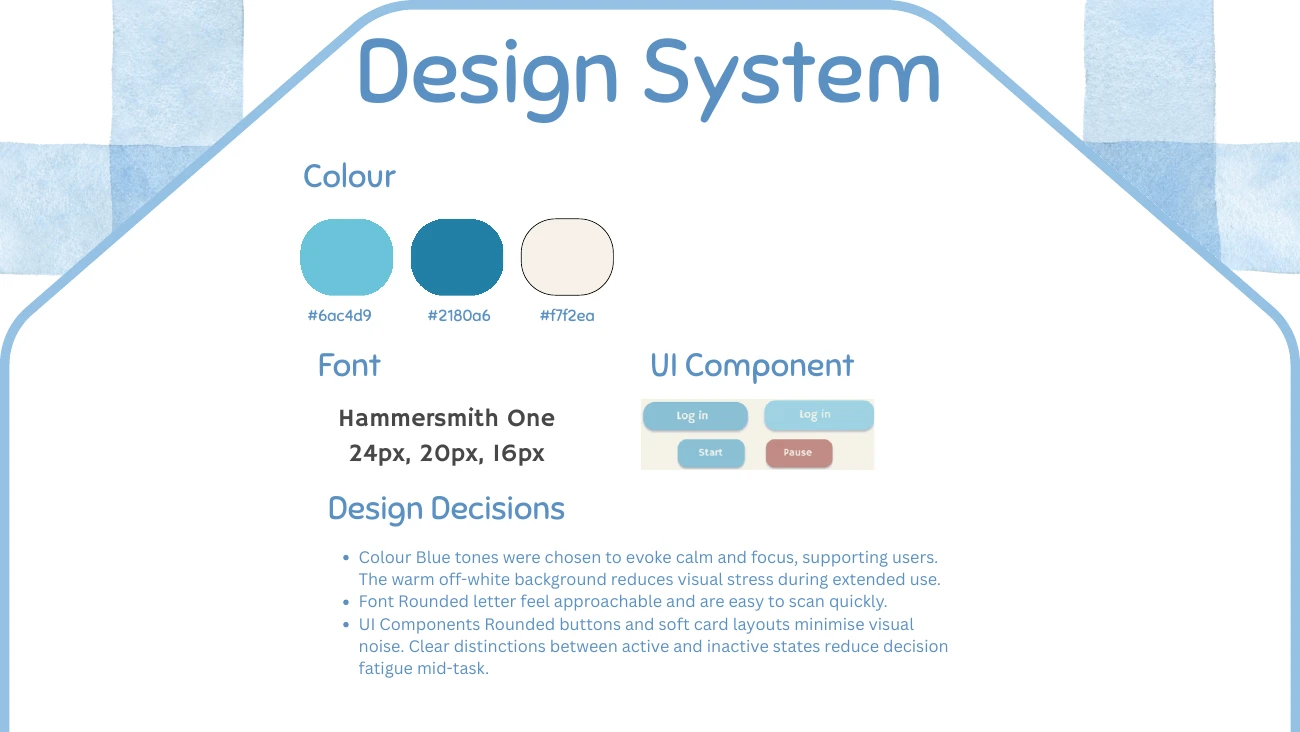
Aqua and blue accents sit against a warm off-white background. Hammersmith One, rounded buttons and softly shaped cards create an approachable visual language. Selected states and completion controls distinguish available actions.
The documented system uses #6AC4D9, #2180A6 and #F7F2EA with Hammersmith One.The final screen collection brings daily tasks, habits and focus sessions into one visual system.
PROJECT SCOPE
A concept to build on.
This case study presents the design concept and screens. A live application and usability results are not included. A useful next step would be to test whether people can move comfortably between planning, habits and focused work, especially when their routines change.